R2-D2

All things related to R2-D2

Ankle Work

Since the dawn of time… well.. since R2 was finished originally, that is, he’s had a pair of heavy resin bulks under the Ankle Cylinders.

The Ankle Cylinders was scratch built 3 years ago, and was basically a piece of PVC pipe with thin strips of styrene wrapped around it, with custom made end caps.

See this post for the original build: Scratch building ankle cylinders! They have done the trick up until now, but I wanted to have a set that looked a bit better.

The main reason for revisiting this, is that the original pieces have only been taped to the ankle with double stick tape that has (mostly) done the job, but they have had a tendency to fall off.

I don’t want to glue things in place here, as if I need to do any work on the cables inside, I need to be able to remove these to get to an access hole that is hiding behind them.

I had also lost a few of the ankle wedges (see Building an ankle wedge) that is supposed to sit on top of the cylinders. They were also just taped to the ankle…

The total assembly looked like this: IMG_6906

(Mounting the Ankle… stuff)

But now it was time to fix everything in this area. I had not been 100% happy with the aluminium tape wrapped around the pipe, even if it has done the job.

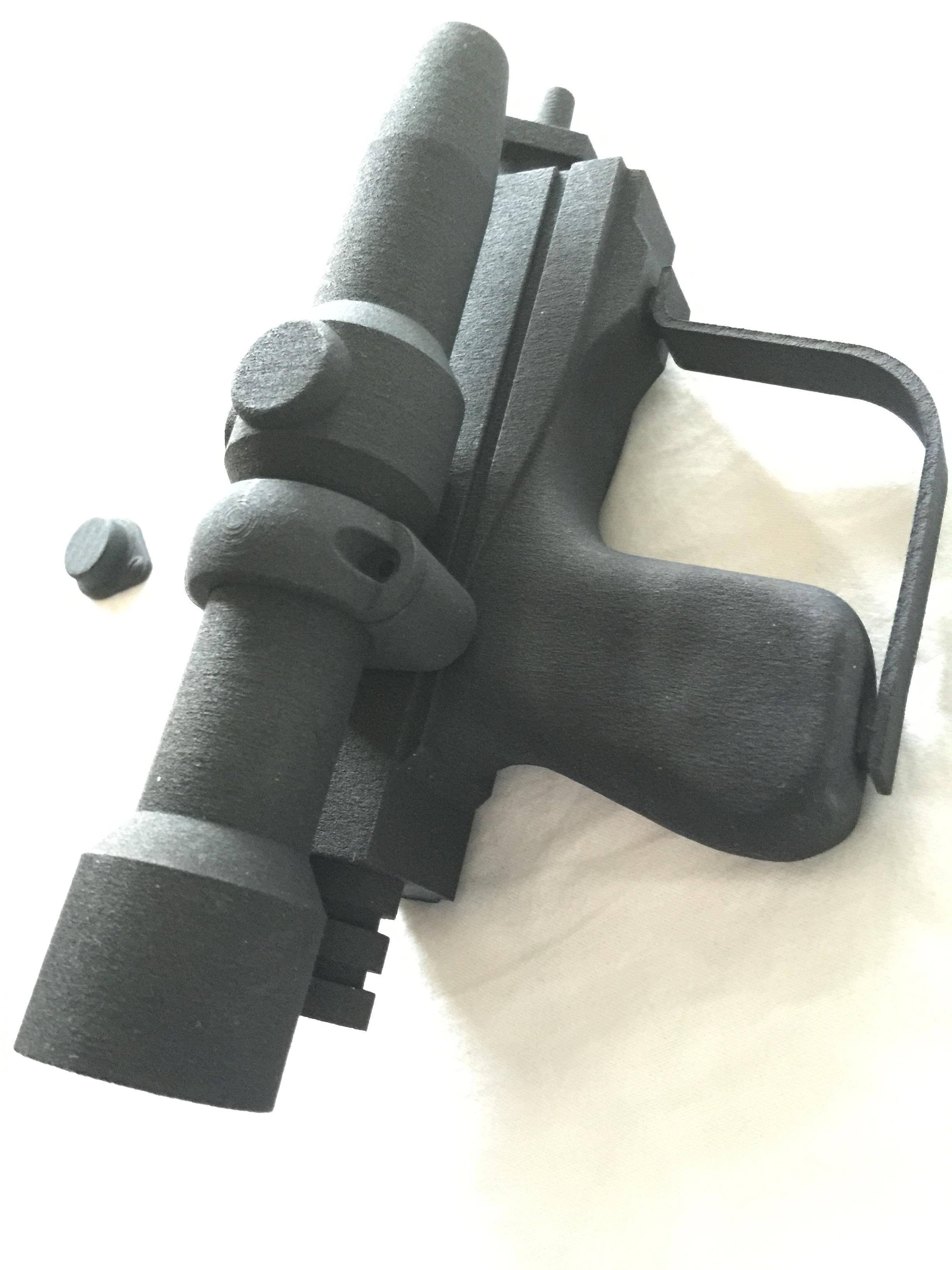
So, armed with my trusty CAD program, the avid reader know that I have been printing Ankle Cylinders in the past.

This is the parts that I drew and printed:

IMG_7791

These were printed apart to get the grooves in the cylinder as sharp as possible.

IMG_7790

The new ankle cylinders holders. 3D printed, hollow and extremely light. I have glued 12mm magnets inside them for holding them to the ankle later on.
IMG_7789

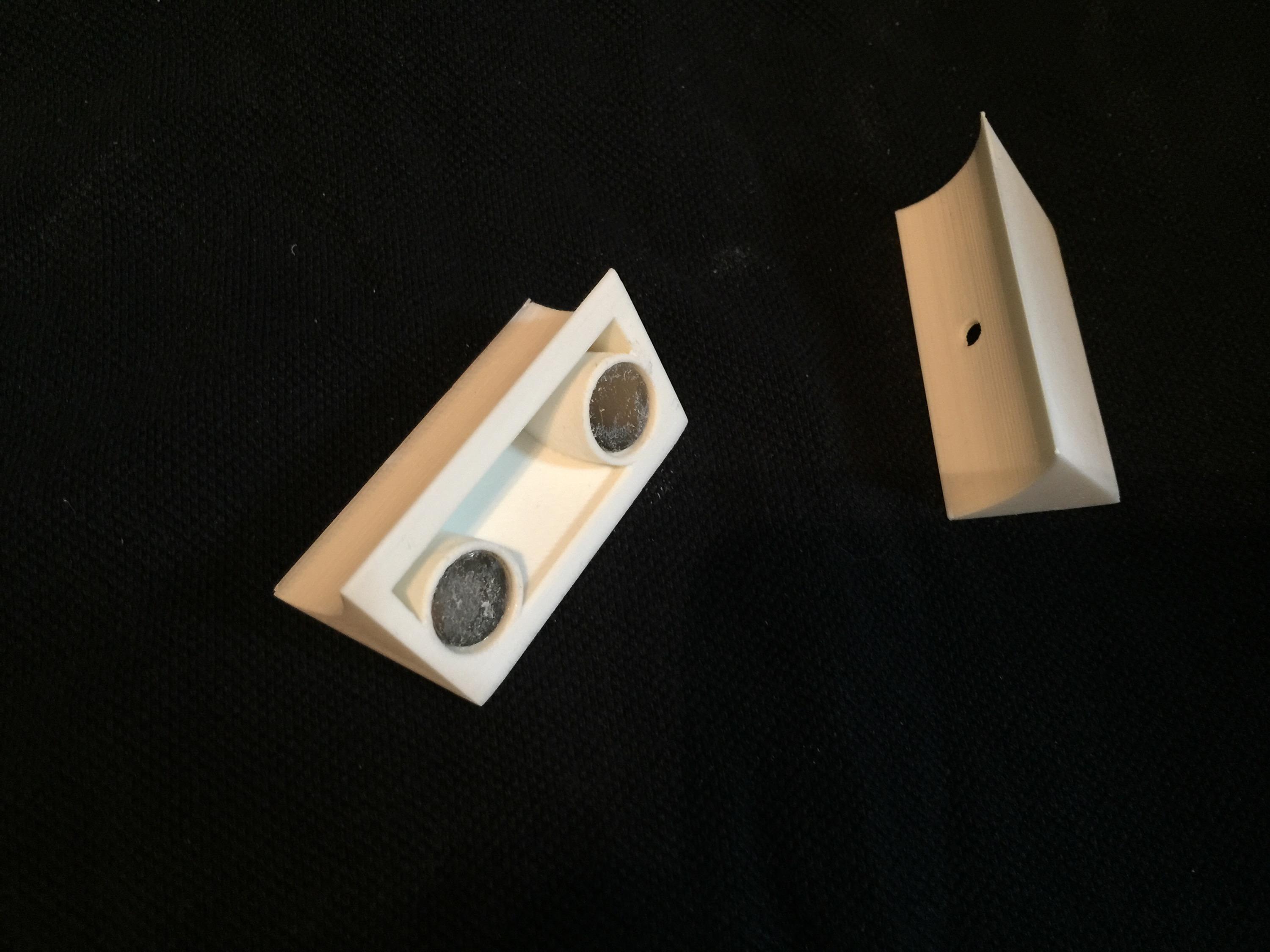
Here are the new wedges. They are a lot sturdier and better than my old ones! These ones also has magnets inside them. The idea is to pin the wedge inbetween them.

IMG_7792

Like this.

Since I can disassemble these, it makes for easy painting.

IMG_7911

End pieces sanded and ready for painting!

IMG_7909 IMG_7910

I started off by painting them with a filler primer. I chose this as it fills up any imperfections after not sanding enough, or print imperfections.

A dab of the old “Satin White” ..

IMG_7914

… and some R2 Blue…

IMG_7912


… add a little rub and buff …

IMG_7918

… and the assembly should be ready for mounting on the droid.
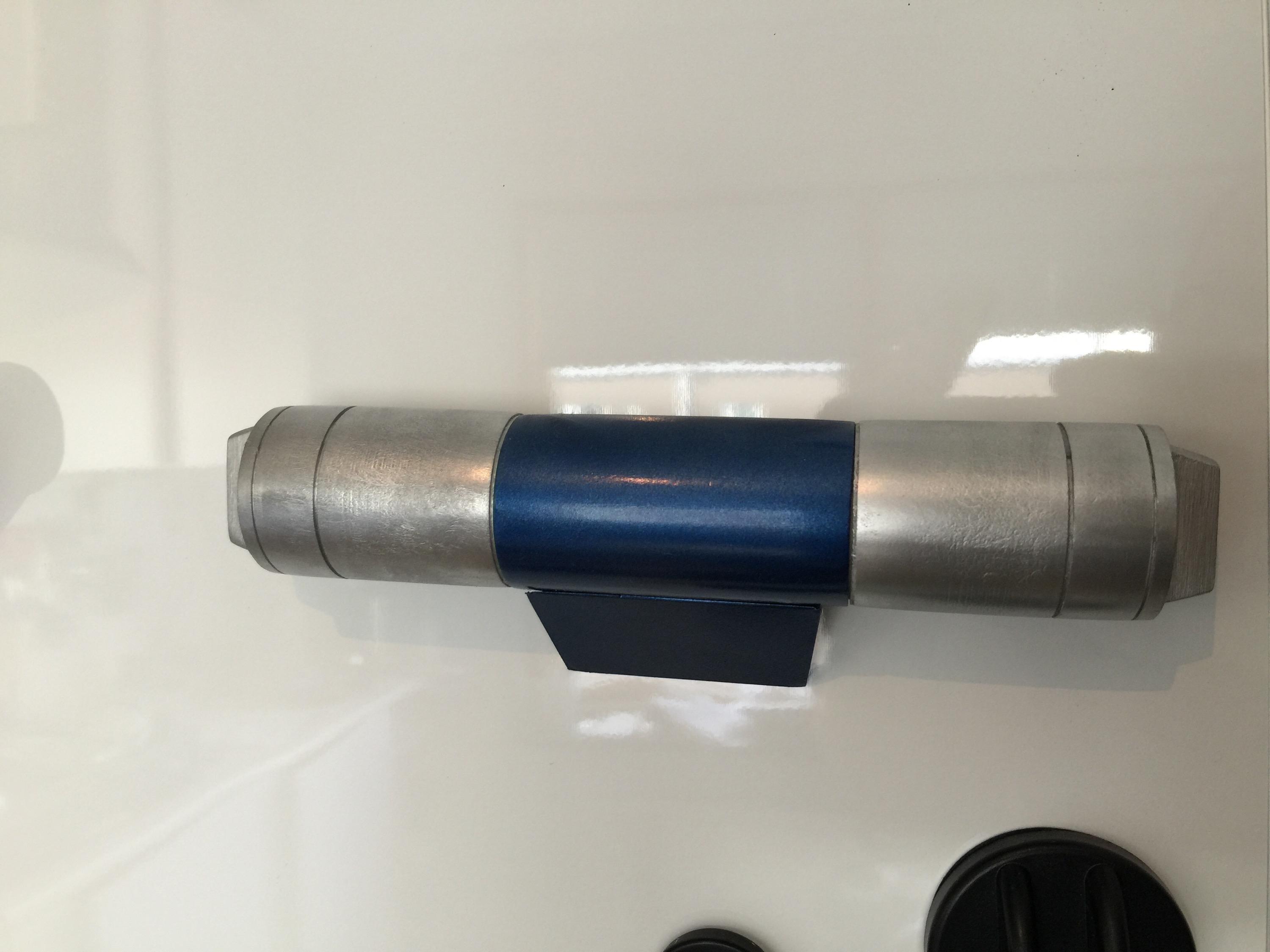
IMG_7919


I must say I am very happy with the results. The rub and buff really looks like metal!

Next up, fixing the magnets to the droid..

All in all, a great upgrade. Next up is adding the new Ankle Details in aluminium and then weather the new pieces on the ankle.

Finale assembly:

IMG_7923

By |2016-12-06T00:00:10+01:00August 30th, 2015|Building, R2-D2|Comments Off on Ankle Work

Parts!

C-3PO_in_Phantom_Menace

–What do you mean “my parts are showing”?

In addition to making the odd compad and some special request, I am also doing some parts for friends.

I am not doing any “runs” of anything, so please don’t ask me. I only have one small printer and I make good use of it for my own projects and do the odd part for friends in need when time allows.

Parts that I’ve done recently: (click for better view)

By |2016-12-06T00:00:12+01:00August 26th, 2015|BB-8, Building, Mini-R2, R2-D2|Comments Off on Parts!

A working Computer Interface Arm…

For a while, I’ve really wanted to make a working “computer interface arm”. I had one made in aluminium a while ago, but this proved to be way too heavy for my styrene droid, so I decided to sell it.

When looking at the movie, R2 “flips up” his arm, then the tip extends, and it rotates as it is inserted into the computer interface.

r2_interface_arm

Image from starwarsscreencaps.com. (c) LucasFilm / Disney.

Most likely, this is accomplished by some sort of magnet lock, and it is actually the wall panel that rotates, and the tip of the interface arm only “tags along”. It is a hundred times easier to make, and this was after all done in 1976, so most likely, That is what happened.

That is not what I’m planning. I’m planning to make a computer interface arm that can both extend AND rotate!

I plan to accomplish this through a simple method:

The thick part of the interface arm is a hollow plastic tube. The tip is 3D printed and mounted on an aluminium tube.

This tube is inserted into a smaller aluminium tube that is fixed within the hollow plastic tube with 3D printed parts.

Inside the aluminium tube, I mount a stiff cable on a holder from a tackle shop, that can rotate as much as it wants.

The stiff cable goes through the assembly to the back end, where a servo can either push out the tip, or retract it. Pretty much the same way an electric car antenna works.

The tube in which the cable resides, has gears glued on to it, and can through a 360 degree servo rotate in either direction. The stiff cable inside, which controls the extension/retraction movement is still in place, and the small tube with the tip attached to it, rotates around it.

Sounds complicated, and to some degree it is: Have a look at these images and see if it makes more sense:

IMG_4681

IMG_4682

These pictures have the rear servo taken out for clarity, and also the inside tube removed for clarity. The inside tube would have slots cut out to make contact with the outer gears.

Now that my 3D printer is upgraded and make better parts than ever, it is time to set this all into action! 😀 Stay tuned!

By |2016-12-06T00:00:13+01:00August 25th, 2015|R2-D2|Comments Off on A working Computer Interface Arm…
Go to Top