3d

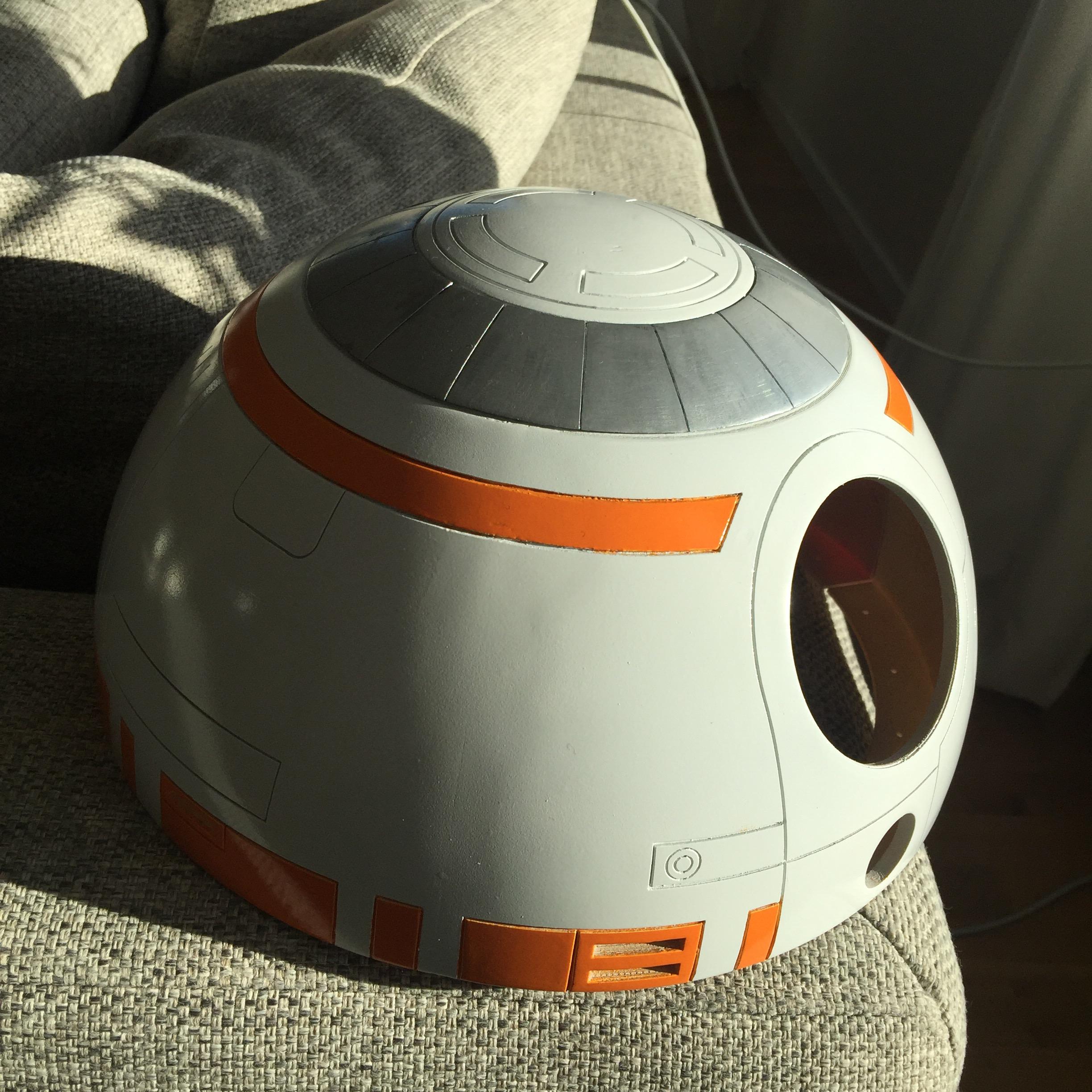
BB8 Dome nearing completion

I hurried putting my dome for BB-8 together for the Sci Fi convention in mid September. This included doing a quick (and not nearly good enough) paint job to just get the dome to some sort of colour.

IMG_8519 IMG_8528

The paint was too thick in places, and I had not had enough time to do a proper job concealing the joints. You can really see the joint on the left hand side of the picture quite clearly.

I also had no time to really let the paint dry before I hit it with the clear coat, so it all sort of blended together. Not to mention the ugly skirt..

To fix the skirt and the dome ring, I needed to print new parts, something I have done and are still in the process of assembling.

Paint job being botched (and no orange) aside, it still looked pretty cool!

IMG_8538

Not to mention the extreme close-up .. 2001 warning ahead:

IMG_8540

This got me through the Sci Fi convention, even though it was just a base.

Being back home, I sanded the clear coat and most of the paint off, worked over some of the problem areas with some putty filler, sanded again, and then applied 3 coats of spray filler, before sanding it down AGAIN with 400 grit sand paper to a very smooth finish, before I applied the white paint again. No more problem areas, and no more visible joints!
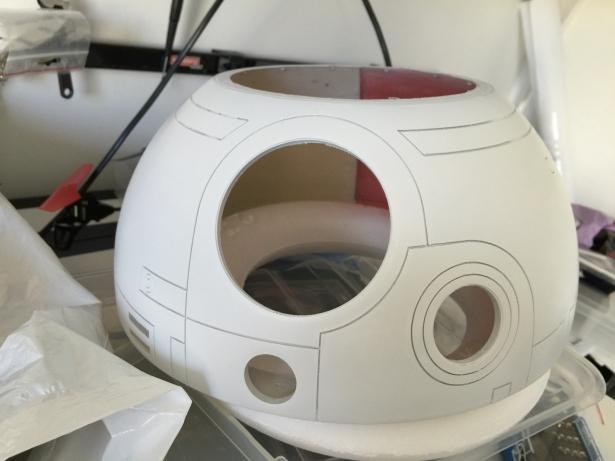
IMG_9098

Once the dome was white (again) and the paint had cured, I taped over the entire dome, and cut out the portions that was going to be orange, and then hit the dome with the brand new orange paint I had custom ordered.

Once cured, the dome looks GREAT!

IMG_9113

After the paint had cured properly, it was time to hit it with the clear coat.

IMG_9115 IMG_9116 IMG_9118

The dome feels incredibly smooth.

Time to buy a can of dark grey and tint the Radar Surrounds and the Holo Projector (and the Holo Projector ring) in the proper colour and mount them.

The only annoying thing is that I had made a really good PSI that should sit in the smaller hole on this picture, however, when cleaning out my workshop the other day, I suspect that small PSI that I wrote a nice blog post about, accidentally found its way out in the trash…

IMG_9081

Ah well, you gain some, you lose some. I have updated the 3D model for this, so next time it should be a lot easier for me to get what I need to get done!

Next up is putting some more focus on the dome ring and dome skirt so I can paint and mount them for a finalized dome structure. Can’t wait to get this part of the build done so I can start weathering the dome, I’m really looking forward to that!

By |2016-12-06T00:00:03+01:00October 7th, 2015|BB-8, Building|Comments Off on BB8 Dome nearing completion

R2 gets a mini-me!

During the sci-fi convention in September, I visited the booth where they do a full body 3D scan of you, then print it out on a laser sintering 3D printer with basically same capabilities as an Inkjet printer.

This means, that you do not only get a 3D model of whatever you scanned, but it is also printed out in colour!

About a week ago, I got the results.

So: without further ado: Have a look at my 3D printed clone of my very own R2-D2:

IMG_9100 IMG_9101

By |2016-12-06T00:00:05+01:00October 7th, 2015|3D Printing, R2-D2|Comments Off on R2 gets a mini-me!

3D Printer Upgrade: Cable Chains

For a while, I wanted to change out the cable braids on my MakerGear M2 for chains, and now the work has been started!

Firstly, I found this nice model on thingiverse, tosdjuenfs Cable Chain: http://www.thingiverse.com/thing:40124

I printed out a bunch of those, first to test my PET, worked great, but I wanted them black, so back to the old ABS.

To mount them to the M2, I found another nifty mod on thingiverse by rklosinski: http://www.thingiverse.com/thing:151024.
Since I was not using a store bought chain, but rather my own, I downloaded the original Makergear part, and inspired by the thingiverse cable holder, I made my own version of it with a cable chain end point integrated.

I cut off part of the model in order to allow for this to be printed without supports, as well.

Screenshot 2015-09-12 20.32.14

Then I also needed to fasten the other end somehow. There is a very nice little hole near the edge where I’ve previously had a cable tie holding the Y axis cables in place. This was perfect for my needs. Now i just needed to draw and print a holder that was made for this task:

Screenshot 2015-09-12 20.22.09

Once I had printed enough links in the chain above, it was a simple matter to remove the braid and carefully thread the cables one by one (largest first) through the cable chain.
While doing this, I had them broken un into segments of 4 pieces, as this was easier to thread the cables through smaller segments.

There was one big 4MM bolt that helps holding the top plate to the steel frame that was a bit in the way, but I replaced this with a smaller screw that should normally be counter sunk, but it got the bolt low enough to allow the chain to pass over without issues.

Here’s the result of the Y-axis DONE!

IMG_8542
Now for fixing mounts for the heated bed and X-axis….

By |2016-12-06T00:00:06+01:00September 14th, 2015|3D Printing|Comments Off on 3D Printer Upgrade: Cable Chains
Go to Top